Importing data into Epigraf requires mapping your data to the Relational Article Model. The most straightforward method is preparing your data with R using the rpigraf-package. Then you can upload it to Epigraf using the Epigraf API. In the example vignettes, you find code chunks for importing data and for getting it back from Epigraf. Further, the package implements some useful features for data analysis such as showing annotated text segments.
The following example transforms three cases from a table into the relational article model:
| Case | Title | Genre | Text |
|---|---|---|---|
| 011 | Westworld | Western | In a futuristic amusement park, androids populate themed worlds like the Wild West. |
| 012 | Yellowstone | Western | Ranch owner John Dutton battles to protect his family's massive Montana cattle ranch. |
| 013 | Once Upon | Western | A mysterious harmonica-playing stranger teams up with a bandit. |
That's how the result looks like:
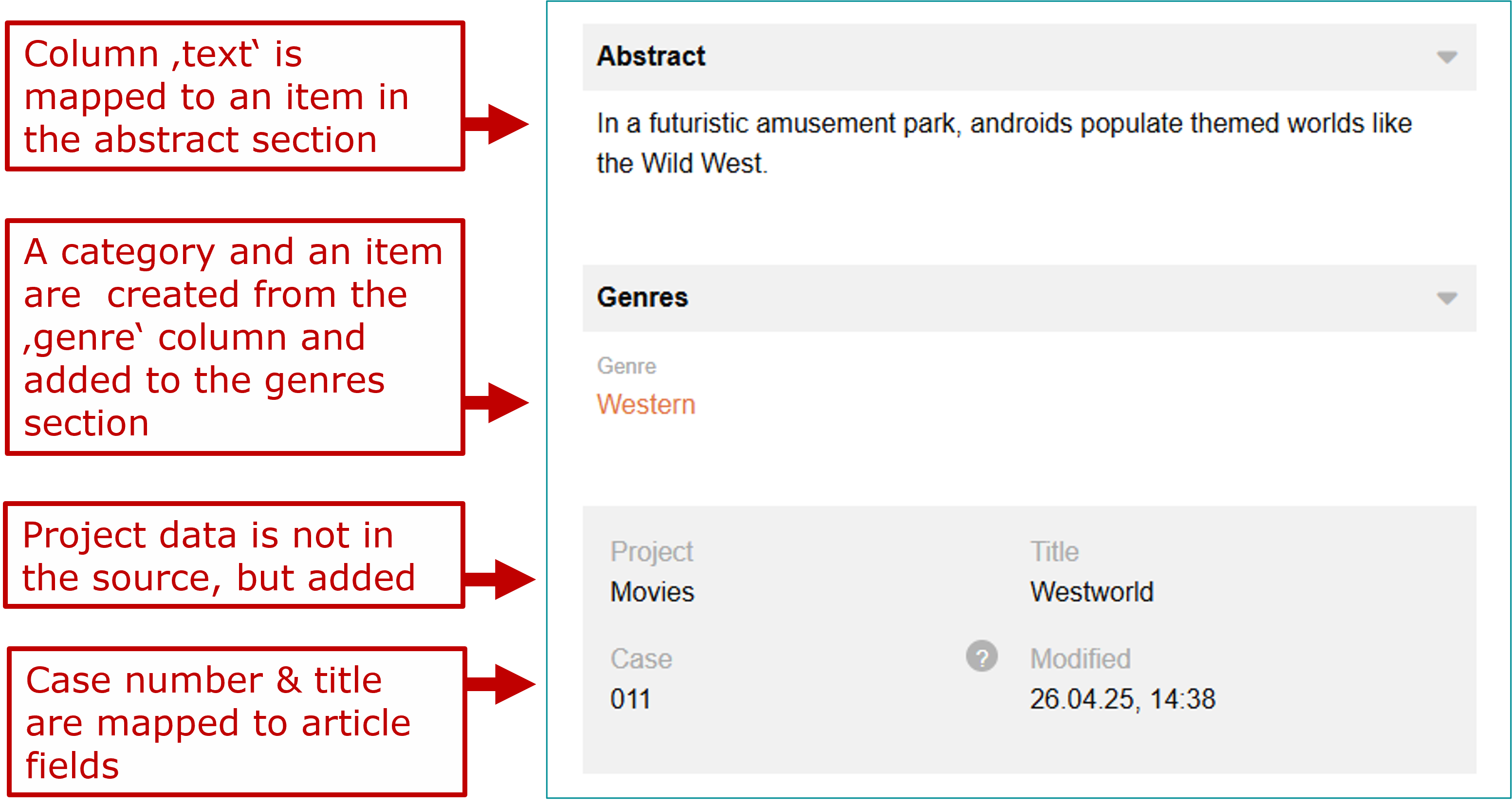
The craft functions either map existing columns or fill in values not provided in the source table:
ds <- ds |> craft_projects  (
  fill = c("type" = "default", "fragment" = "movies",  "name" = "Movies", "signature"="movies")
)
ds <- ds |> craft_articles  (
  fill = c("type" = "default"),
  cols = c("fragment" = "case", "signature" = "case", "name" = "title")
)
ds <- ds |> craft_sections  (
  fill = c("type" = "text", "name" = "Abstract")
)
ds <- ds |> craft_items (
  fill = c("type" = "text"),
  cols = c("content" = "text")
)
ds <- ds |> craft_sections(
  fill = c("type" = "categories", "name" = "Genres")
)
ds <- ds |> craft_properties(
  fill = c("type" = "categories"),
  cols = c("fragment"="genre", "lemma" = "genre")
)
ds <- ds |> craft_items(
  fill = c("type" = "categories"),
  cols = c("properties_id" = ".property")
)
The data is now ready to be compiled into the RAM format and to be uploaded to the database:
epi <- ram_compile(ds)
api_patch(epi, db = "epi_movies")